
Workforce
Best Time Tracking Software Canada 2026: Remote Team Guide
Time tracking software Canada 2026: top picks for remote teams. Provincial overtime rules, ESA-compliant rounding, and the payroll integration tools miss.
Provincial overtime rules
Workzoom covers provincial overtime rules as part of the same platform that runs time tracking software Canada, mobile clock-in geofencing, and time tracking payroll integration: on one employee record, with statutory rates maintained in the platform.
$74,600 a year. That is what buddy punching alone costs a 200-person Canadian company, before you count the hours a payroll admin burns copying time entries from a spreadsheet into a separate system, one row at a time, every two weeks. On discovery calls, the pattern we see across our Canadian client base is the same: time gets captured fine, and then a human re-keys all of it by hand because the time tool and the payroll system never agreed to talk.
The best time tracking software in Canada for 2026 combines mobile clock-in with GPS verification, automated overtime calculations by province, scheduling integration, and most worth noting:, a direct connection to payroll. Standalone time trackers create data silos that cost more in manual reconciliation than the software saves. For Canadian businesses, the critical requirement is a system that understands provincial overtime rules, statutory holiday tracking, and feeds approved hours directly into pay processing without a CSV export in between.
Most "time tracking software" reviews are written by affiliate sites that have never processed a payroll. They rank platforms by feature count and whoever's paying the highest commission that month. This one is different. We built Workzoom. Time tracking is one piece of what we do. And we think the most useful thing we can write is what actually matters when you're buying, not what looks good in a screenshot.
- Standalone time tracking tools create data silos that force manual payroll exports, costing Canadian businesses $373 per employee per year in time theft alone (American Payroll Association).
- Canadian buyers need provincial overtime awareness (rules differ across all 13 jurisdictions), statutory holiday tracking, and bilingual support for Quebec workforces.
- The must-have features are geofencing, mobile clock-in, automated overtime alerts, scheduling integration, and direct payroll connectivity.
- Clockify, TSheets/QuickBooks, and Deputy are solid tools individually, but none of them process Canadian payroll natively, which means you're still exporting data.
- Integrated platforms like Workzoom eliminate the gap between time capture and pay processing entirely, starting at $4/employee/month.
The Standalone Time Tracking Software Trap in Canada
Here's what happens. You Google "time tracking software Canada." You find a clean-looking app. Free tier, easy setup, everyone's clocking in by Friday. Problem solved.
Except it's not.
Two pay periods later, your payroll person is downloading a CSV from the time tracker, reformatting columns to match your payroll system's import template, manually checking for overtime thresholds, cross-referencing against the schedule for shift premiums, and then importing the whole thing. Every. Two. Weeks.
That gap between your time tracker and your payroll system? That's not a minor inconvenience. It's where errors breed. Where buddy punching goes undetected because the audit trail lives in a system nobody in payroll ever logs into. Where an employee's overtime hours get rounded wrong during the export and you overpay by $200 that nobody catches for six months.
The American Payroll Association estimates that buddy punching alone costs employers $373 per employee per year. For a 200-person company, that's $74,600 annually. Just from people clocking in for each other. And standalone time trackers, by design, make this harder to catch because the data sits in isolation.
I'm not saying standalone tools are bad software. Clockify is genuinely well-built. Deputy has a beautiful scheduling interface. But the moment you need those hours to flow into a Canadian payroll run with provincial tax calculations, CPP2 deductions, and statutory holiday entitlements, you're back to manual work. The tool tracks time fine. It just doesn't do anything useful with it afterward.
What Canadian Businesses Actually Need (That Most Reviews Skip)
Time tracking in Canada is not the same as time tracking in the US. And it's definitely not the same as time tracking for a freelancer billing clients by the hour. But most review sites don't make that distinction because they're writing for a global audience and optimising for affiliate clicks.
Here's what actually matters if you're running a Canadian business with employees on payroll.
Provincial overtime rules that differ everywhere
Ontario's overtime threshold is 44 hours per week. Alberta's is 8 hours per day. British Columbia calculates daily and weekly overtime differently. Saskatchewan has averaging agreements that change the math entirely. Quebec has its own set of rules that interact with collective agreements in ways that keep labour lawyers employed.
Your time tracking system needs to know which province each employee works in and apply the correct overtime calculation automatically. If you're manually checking overtime thresholds against a provincial reference table, you're one distracted Friday afternoon away from a compliance violation. Ontario's Employment Standards Act, for example, sets specific hours-of-work and overtime rules that differ materially from BC and Alberta, and provincial standards govern most private-sector employers.
Statutory holiday tracking that nobody gets right manually
Canada has federal statutory holidays. Each province adds its own. Some provinces observe holidays that others don't. Eligibility rules vary. The pay calculation for employees who work on a stat holiday differs from the calculation for employees who don't. And averaging it across a mixed workforce with full-time, part-time, and casual employees?
Good luck doing that in a spreadsheet. Your time tracking software needs to connect to statutory holiday pay calculations natively. Otherwise you're building formulas that break every time a new holiday gets added or an eligibility rule changes.
The County of Renfrew, an Ontario municipal employer, onboarded 32 employees in 3 months using Workzoom with zero paper. That kind of clean transition only happens when time, leave, and payroll data live in the same system from day one. There's no paper trail to recreate, no export to reconcile, no stat holiday formula to rebuild.
Geofencing and mobile clock-in for distributed teams
If you have field workers, home care staff, construction crews, or anyone who doesn't walk past a wall-mounted clock every morning, mobile clock-in with GPS verification isn't a nice-to-have. It's the baseline.
Geofencing lets you draw virtual boundaries around job sites. Employees can only clock in when they're physically within the fence. No more clocking in from the Tim Hortons parking lot. No more "I forgot to punch in so I'm doing it from home two hours later."
But here's what most reviews don't mention: Canadian privacy legislation limits how aggressively you can track employee location. You can capture GPS coordinates at clock-in and clock-out. Continuous tracking throughout the shift requires explicit consent and a clear privacy policy, especially in provinces with stricter privacy frameworks like Quebec's Law 25 and Alberta's PIPA.
Scheduling integration that actually works
Time tracking without scheduling context is half a picture. A manager needs to see not just who clocked in, but whether they were supposed to. Whether the actual hours match the scheduled hours. Whether overtime was planned or whether someone stayed late without approval.
When scheduling and time tracking live in the same system, exceptions surface automatically. Late arrivals, early departures, unscheduled overtime. Managers see a dashboard of problems, not a wall of data they need to interpret themselves.
Policy-driven timekeeping: the feature most vendors skip
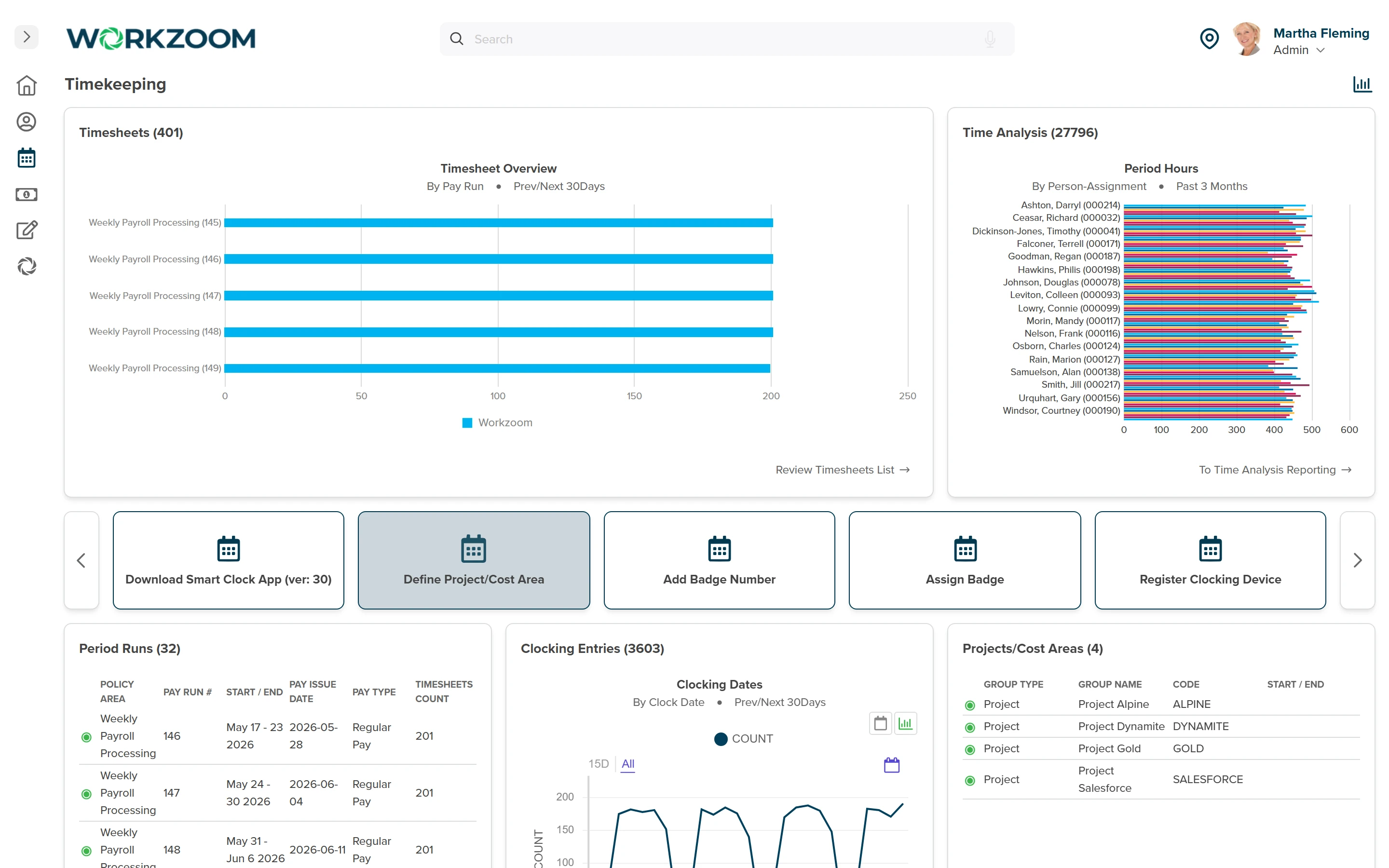
A real time-tracking system doesn't just record punches. It applies rules to them. Workzoom's timekeeping layer is policy-driven, meaning each employee's time entries are evaluated against a set of named rule types scoped to their position in the org structure. Those rules cover: overtime thresholds by province, statutory-holiday auto-generation (so the holiday entries appear in the timesheet without a manual entry), banked-time accumulation, time-off integration (approved absences pull from the same balance that payroll uses), approval-by-cutoff enforcement (late submissions get flagged rather than quietly passing), and shift-premium calculations tied to the schedule.
The six rule types work together. An employee in Ontario who works a statutory holiday gets the holiday pay calculated automatically, with the entry sourced from the auto-generated holiday record, not a manually typed line. An employee in BC who banks overtime hours instead of taking pay sees that bank updated when the pay run closes, not the moment the shift ends. These are the mechanics that distinguish a time-tracking platform from a time-tracking field on a spreadsheet.
Clockify, TSheets, and Deputy: What They Do Well (and Where They Stop)
Let's be specific about the tools you're probably comparing.
Clockify is the free option that everybody starts with. And honestly, for what it costs, it's impressive. Clean interface, solid reporting, good mobile app. If you're a five-person agency billing clients by the hour, it's perfect. The wall you hit is payroll. Clockify doesn't process payroll. It doesn't understand Canadian overtime rules. It doesn't calculate stat holiday pay. It tracks time and gives you a report. Everything after that is on you.
TSheets (now QuickBooks Time) is the most popular recommendation you'll find in affiliate reviews, and for good reason. It integrates with QuickBooks, which a lot of small Canadian businesses already use. GPS tracking, geofencing, scheduling. Solid product. The catch is that QuickBooks payroll in Canada has limitations. Multi-provincial payroll gets complicated. ROE automation isn't native. And once you're paying for QuickBooks Online plus QuickBooks Payroll plus QuickBooks Time, the per-employee cost starts stacking up in ways the landing page doesn't make obvious.
Deputy has probably the best scheduling interface of the three. Shift planning, demand forecasting, auto-scheduling based on availability and qualifications. For restaurants, retail, and hospitality, it's actually strong. But like the others, it's a workforce management tool, not a payroll engine. You're still exporting time data into whatever system actually runs your pay. And that export is where the problems live.
The best time tracker in the world is still just half a solution if you have to manually move the data into payroll every two weeks.
None of these tools are bad. They're incomplete for what a Canadian employer with 50+ employees actually needs. They solve the data capture problem. They don't solve the data flow problem.
The Features That Matter vs. Marketing Fluff
Let me save you some demo time. Here's what you actually need and what's noise on a feature comparison page.
Must-have:
- Mobile clock-in with GPS and geofencing
- Automated overtime calculation by province (not a manual rule you configure yourself)
- Overtime alerts before thresholds are hit, not after
- Direct integration with payroll, meaning approved hours flow into pay calculations without export/import
- Exception-based approvals so managers review problems, not every single timesheet
- Audit trail on every punch, edit, and approval
- Multiple time clocking methods (mobile, kiosk, biometric) in one system
Nice-to-have:
- AI-powered scheduling suggestions
- Facial recognition clock-in
- Project-based time allocation for professional services firms
Marketing fluff:
- "Unlimited users on free tier" (you'll hit limits on features that matter long before you hit user caps)
- "200+ integrations" (you need one integration that works perfectly, not 200 that sort of work)
- "AI-powered insights" (until these tools can tell you something actionable you didn't already know, this is a buzzword)
The overtime alert feature deserves its own paragraph because it's the one thing that saves real money and almost nobody talks about it. Getting a notification when an employee is approaching their weekly overtime threshold, before they cross it, lets a manager make a scheduling decision in real time. Send them home early. Bring in someone else. Whatever makes sense. Without the alert, you find out about the overtime when payroll runs, which is too late to do anything except pay for it.
Time tracking that actually talks to payroll
Workzoom connects scheduling, time clocking, and Canadian payroll in a single system. No CSV exports. No re-keying. $4/employee/month per suite, no setup fees, no contracts.
See How It WorksWhy "Integrated" Isn't a Buzzword Here
I know "integrated platform" sounds like every other vendor pitch. So let me be specific about what it means in practice.
In a standalone setup, here's the workflow every pay period: download time data from Clockify (or TSheets, or Deputy). Open the export. Reformat columns. Check for missing punches. Calculate overtime manually or trust that someone configured the rules right. Import into payroll. Verify the import didn't break. Fix the three rows that always seem to have problems. Run payroll.
In an integrated system, here's the workflow: review the exceptions dashboard. Approve or correct the flagged entries. Run payroll.
That's it.
The hours are already there because the time clock feeds the same database that payroll reads from. Overtime was calculated automatically using the employee's provincial rules, which the system knows because HR set the work province when the employee was hired. Stat holiday entitlements were applied based on the employee's eligibility, which the system calculated from their actual hours worked. The shift premiums from the schedule were applied automatically because the schedule and the time clock and payroll all share one set of rules.
This isn't about saving your payroll team a few clicks. This is about eliminating an entire category of error. Every manual transfer of data between systems is a chance for something to go wrong. Eliminate the transfer, eliminate the errors.
Island Luck, a gaming operator running 60+ locations and roughly 850 employees across the Bahamas, uses Workzoom's time-capture tools alongside payroll. They run 8 payrolls per week and use facial-recognition clocks to eliminate buddy punching across a high-turnover, shift-based workforce. At that scale, 850 employees across dozens of sites with 8 separate payroll runs weekly, any manual export-and-reconcile process collapses. The only approach that holds is one where the time clock, the schedule, and the pay calculation share a single data model.
An integrated HR platform doesn't just save time. It changes the entire operational model from "collect and reconcile" to "review and approve." That's a fundamentally different workload.
The Buddy Punching Problem Nobody Wants to Talk About
Your employees are probably not stealing from you. At least, they don't think of it that way.
The American Payroll Association found that buddy punching, where one employee clocks in on behalf of another, affects a significant share of businesses and adds up to roughly $373 per employee per year. For a 200-person company, that's nearly $75,000.
The thing is, most buddy punching isn't malicious. It's cultural. Someone's running five minutes late. Their friend punches them in. Nobody thinks of it as theft because the person shows up. Eventually. And the five minutes is no big deal.
Those minutes compound across a workforce and a full year. Small daily variances add up to real payroll cost that nobody catches until they run the numbers.
Biometric time clocking eliminates buddy punching completely. You can't lend someone your fingerprint. Geofenced mobile clock-in makes it much harder because you need to be physically at the work site with your own phone. Even a simple photo verification at clock-in, where the app snaps a selfie, reduces buddy punching dramatically because most people won't ask a coworker to hold their phone up and take a photo of themselves.
But here's the part the time tracking vendors don't tell you: catching buddy punching only matters if the data connects to payroll in a way that lets you actually do something about it. If the time data sits in one system and payroll runs in another, the discrepancy might never surface. An integrated system flags it in the same workflow where pay gets processed. That's when it becomes visible, actionable, and fixable.
What to Ask During the Demo
Forget the feature tour. Ask these questions instead.
"Show me what happens when an employee in Alberta works 8.5 hours on a Tuesday." If the system doesn't automatically flag the daily overtime, it doesn't understand Canadian provincial rules. It's applying a one-size-fits-all calculation.
"Show me the path from approved timesheet to paycheque. How many steps? How many systems?" If the answer involves an export, an import, or the word "integration partner," you're buying a data silo.
"What happens when an employee transfers from Ontario to BC mid-pay-period?" The overtime rules change. The tax jurisdiction changes. If the system can't handle that cleanly with a single date-effective change, it wasn't built for multi-provincial Canadian employers.
"How does the system handle statutory holidays for a part-time employee who worked irregular hours last month?" This is where generic time trackers fall apart. Stat holiday pay eligibility and calculation in Canada depends on actual hours worked, and the rules vary by province. If the answer is "you'd calculate that manually," you have your answer about the product.
"Can I see the audit trail for a specific employee's timesheet from last month?" Every punch, every edit, every approval, every override, with timestamps and user IDs. If it's not there, you're exposed in a labour dispute.
The Honest Comparison
Here's how the options stack up for a Canadian employer with 100+ employees who needs time tracking connected to payroll.
| Platform | Time Tracking | Canadian Payroll | Scheduling | Approx. Cost | The Catch |
|---|---|---|---|---|---|
| Clockify | Strong | None | Basic | Free-$12/user/mo | Zero payroll connection |
| QuickBooks Time (TSheets) | Strong | Via QuickBooks | Good | $10-20/user/mo + QB payroll | Multi-province payroll limitations |
| Deputy | Good | None | Excellent | $5-7/user/mo | Still need separate payroll |
| ADP | Good | Strong | Moderate | $15-30/emp/mo | Opaque pricing, module stacking |
| Dayforce | Excellent | Excellent | Excellent | $20-40/emp/mo | Enterprise pricing, long implementation |
| Workzoom | Strong | Native | Strong | $4/suite/emp/mo | Mid-market focus, newer brand |
If you're under 20 employees and billing clients by the hour, Clockify is probably fine. If you're a restaurant chain using QuickBooks already, TSheets makes sense. If scheduling is your primary pain and payroll is handled elsewhere, Deputy is excellent at what it does.
But if you're a Canadian employer with 50+ employees who needs time data to flow into Canadian payroll processing without a manual step in between, the standalone tools create more work than they save. That's not a sales pitch. That's arithmetic.
What We'd Tell You Over Coffee
Look, the time tracking software market in Canada is crowded with good products solving half the problem. They capture time beautifully. They just don't do anything with it that saves your payroll team from the bi-weekly export ritual.
If you're evaluating options, the single most important question isn't about features. It's about data flow. Where do the approved hours go? How do they get there? How many human hands touch the data between clock-in and paycheque?
Every human touch is a potential error. Every export is a potential mismatch. Every manual calculation is a potential compliance risk.
The organisations that get this right aren't the ones with the fanciest time clock. They're the ones where time data, scheduling, and payroll share a single source of truth. Where a manager approving a timesheet is the last step before pay runs. Where overtime calculations happen automatically based on the employee's actual province, not a rule someone configured three years ago and forgot about.
And when the bi-weekly export ritual eats your payroll team's Friday, that's the tool failing them, not them failing the tool. The job was always supposed to be approving a clean timesheet, as opposed to rebuilding the data by hand because two systems never shared a record.
That's what we built at Workzoom. And if it's not the right fit for your situation, at least you'll leave this page knowing what questions to ask whoever you do evaluate.
See Workzoom in 30 minutes.
Real product, real questions, no slides. Starts at $4 per employee per month, CAD or USD, with $0 setup fees.
What readers ask after this post on time tracking software Canada.
Workzoom handles HR, payroll, workforce, and talent on one employee record. Book a 30-minute walkthrough.