 Canada
 United States
 Bahamas
 Jamaica
 Trinidad & Tobago
 Antigua & Barbuda
 Barbados
 Anguilla
Payroll Software for Multiple Companies: Does It Fix CPP?

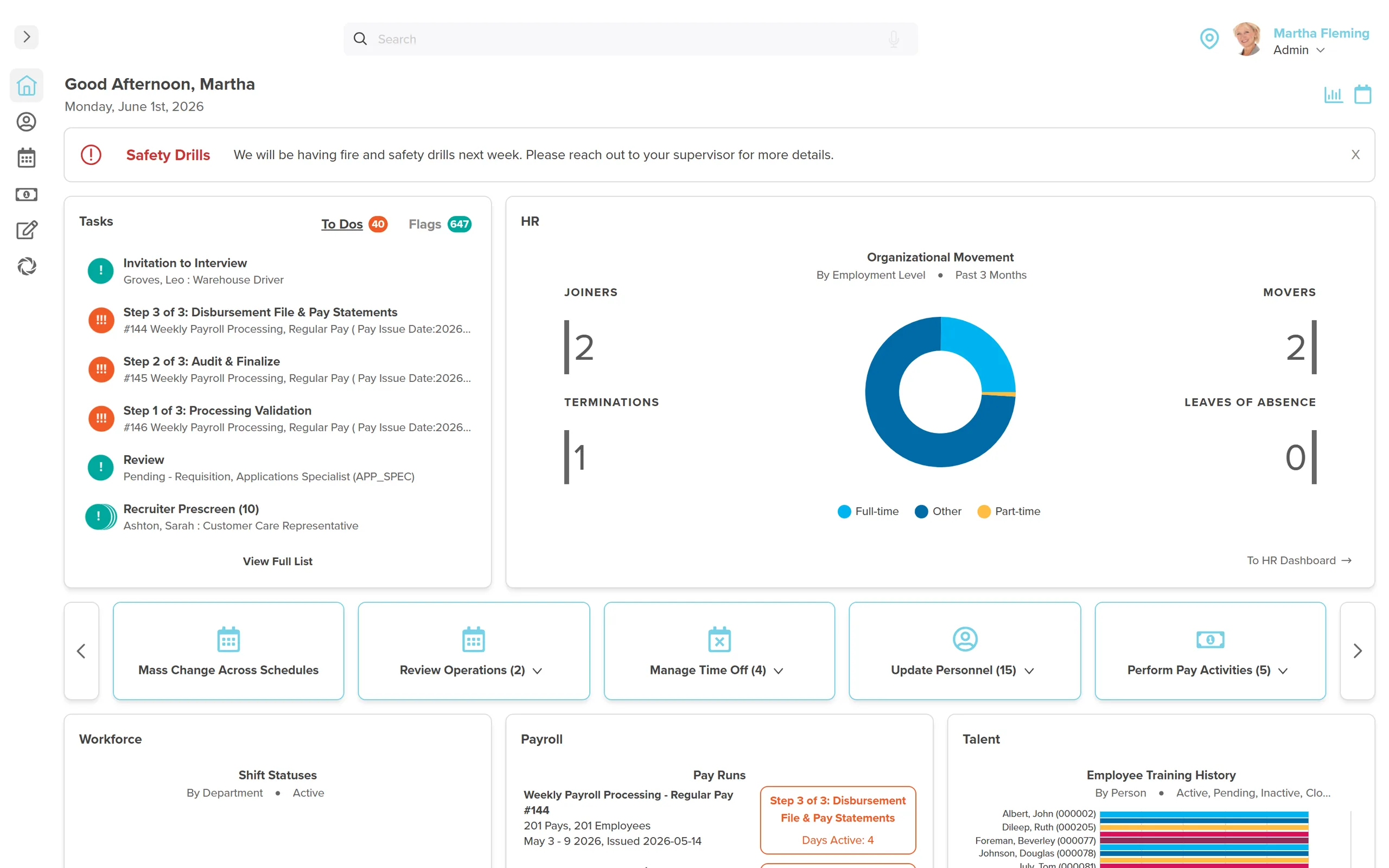
Nothing about CPP or EI changes when someone works for two of your related companies. Each legal entity still deducts CPP and EI from zero dollars, up to its own annual maximum, independent of what the other company withheld. The employee reclaims any overpayment on their tax return. The employer never does.
Nothing about CPP or EI changes when someone works for two of your related companies. Payroll software for multiple companies does not merge those two employment relationships into one file behind the scenes. Each legal entity still deducts CPP and EI from zero dollars, up to its own annual maximum, as if the other company didn't exist. The employee eventually gets any overpayment back. You're the one who has to notice it happened.
The real risk of running related companies on separate payroll systems is not double data entry. It is CPP and EI overcontribution on a shared employee that nobody is tracking. Two clean payroll runs can still add up to one dirty number, because neither system knows what the other one deducted.
- Each related company deducts CPP and EI on its own, from $0, up to the 2026 maximums: $74,600 YMPE for base CPP, $85,000 for CPP2, $68,900 for EI insurable earnings.
- Canada has no equivalent of the US common paymaster rule. A related employer here cannot combine deductions to avoid double contributions.
- The employee claims back any CPP or EI overpayment on their own tax return. The employer never gets a refund or a credit for it.
- Every legal entity that paid the person issues its own T4, even if it's the same human being working across two of your companies in the same year.
- One platform kills the CSV shuffle between systems. It does not merge your CRA business numbers or your remittance accounts.
You're not missing a training module here. Two disconnected payroll systems were never built to know the other one exists, so neither one can flag the overlap for you. That's not a competence gap. That's a design gap in the tools you were handed.
What Happens to CPP and EI When One Person Works for Two of Your Companies
Say Maria works 20 hours a week for Company A and picks up 15 more hours for related Company B, same ownership group, different business number. Each company runs its own payroll. Each one deducts CPP and EI starting from zero, independent of what the other company withheld, right up to its own annual ceiling.
That's not a workaround. That's the rule. The Canada Revenue Agency is explicit that each employer of the same individual must deduct CPP and EI until that employee hits the maximum with that employer. Amounts another employer deducted don't factor in.
For 2026, base CPP runs 5.95% up to the $74,600 Year's Maximum Pensionable Earnings, with CPP2 layered on at 4.00% up to $85,000. EI sits at 1.63% for the employee (1.30% in Quebec) up to $68,900 in insurable earnings, with the employer paying 1.4 times that. Each of your related companies runs that whole calculation on its own, with its own starting line at zero dollars.
If Maria's combined earnings across A and B push her past the CPP or EI ceiling faster than either company alone would trigger it, she overpays. She gets it back. Both employers deducted correctly, by the book, and the total still came out too high.
Are Your Companies "Related Employers" Under the CRA, and Does It Matter?
Here's where a lot of admins expect relief. Related, associated, common ownership, doesn't matter. Some US states let related employers pool payroll for one worker under a common paymaster rule, so nobody pays CPP or EI twice. Canada has no such rule, and no CRA election that lets Company A and Company B combine their math for a shared employee.
The overpayment gets refunded, but only at tax time, and only to the employee. Not to you. Not automatically. The employee reports the CPP contributions through line 30800 on their T1, and reconciles EI overpayment the same way. If your company handles employee questions, expect one every February from whoever noticed two CPP lines on their paystubs.
If a worker earned under $2,000 in insurable earnings in a year, they can claim back the full EI premium on their return. Useful to know before an employee assumes the two-company overpayment is a payroll error rather than a normal CRA reconciliation.
What One Platform Changes, and What It Doesn't
Putting both companies on the same payroll platform fixes what was actually broken by hand: the CSV export from System A, the re-key into System B, the missed email between HR and payroll when someone's hours change. It's the exact pattern buyers describe in our post on running payroll and HR from one system. Workzoom's multi-entity setup runs each of your related companies as its own legal entity, with its own CRA business number, remittance schedule, and T4 filing, inside one login.
DCAG, an Ontario automotive group running multiple dealership entities, runs all of them from one system rather than stitching together separate payroll logins per store. That's the actual value: one employee record, visible across entities, instead of a name typed twice into two systems that don't talk.
| What happens | One platform, multiple entities | Two separate systems |
|---|---|---|
| CPP/EI deduction math per entity | Independent, from $0, per CRA rule | Independent, from $0, per CRA rule |
| Visibility into total CPP/EI across both jobs | Possible, if someone sets up the reconciliation | Requires manual cross-reference, usually skipped |
| T4 issued per entity | Yes, one per business number | Yes, one per business number |
| Employee record shared across entities | Yes, one person, two work assignments | No, re-entered by hand in each system |
| CRA remittance accounts | Still separate per business number | Still separate per business number |
Why Your T4 Count Will Never Equal Your Headcount
Every legal entity that paid a person during the year owes that person a T4, even if it's the same human being on your org chart across two of your companies. CRA requires a separate T4 slip from each employer, and a separate one again if that employee worked in more than one province for you during the year.
So the T4 count you file will run higher than your active headcount, every year, and it's not an error. It's seasonal staff who left, people who moved between two of your entities mid-year, and anyone paid by more than one related company at once. If your reconciliation spreadsheet assumes T4s equals bodies, that's the spreadsheet's problem, not yours.
We put the full deadline and remittance detail into a separate breakdown of CRA remittance rules, and the mechanics of the slip itself in our T4 filing guide. If you want the year-end dates without wading through either post, there's a one-page calendar at the bottom of this one you can pull down and keep at your desk.
When Separate Payroll Systems Is Still the Right Call
Not every multi-entity employer needs to consolidate. If your related companies almost never share staff, and each one has its own dedicated payroll admin who isn't drowning, two systems can run fine forever. The pain shows up specifically when people move between entities, when one admin covers both, or when growth means a new incorporation lands on someone's desk mid-year with a shared employee already in motion.
That's the moment worth finishing that work properly rather than bolting on a third spreadsheet. Full CPP and EI figures for 2026, by the way, are in our CPP and EI maximum guide if you need the exact ceilings for both entities before you run the numbers.
See how Workzoom handles multi-entity payroll, live
Workzoom runs each related company as its own legal entity, one login, one employee record, from $4 per employee per month per suite. No setup fees, no contract, cancel any time.
Tell Us What You Need to SeeSee Workzoom in 30 minutes.
Real product, real questions, no slides. Starts at $4 per employee per month, CAD or USD, with $0 setup fees.
What readers ask after this post on payroll software for multiple companies.
Our clients
The teams that run their people on Workzoom.













Workzoom handles HR, payroll, workforce, and talent on one employee record. Book a 30-minute walkthrough.