 Canada
 United States
 Bahamas
 Jamaica
 Trinidad & Tobago
 Antigua & Barbuda
 Barbados
 Anguilla
Position Control Software for Municipalities in Canada

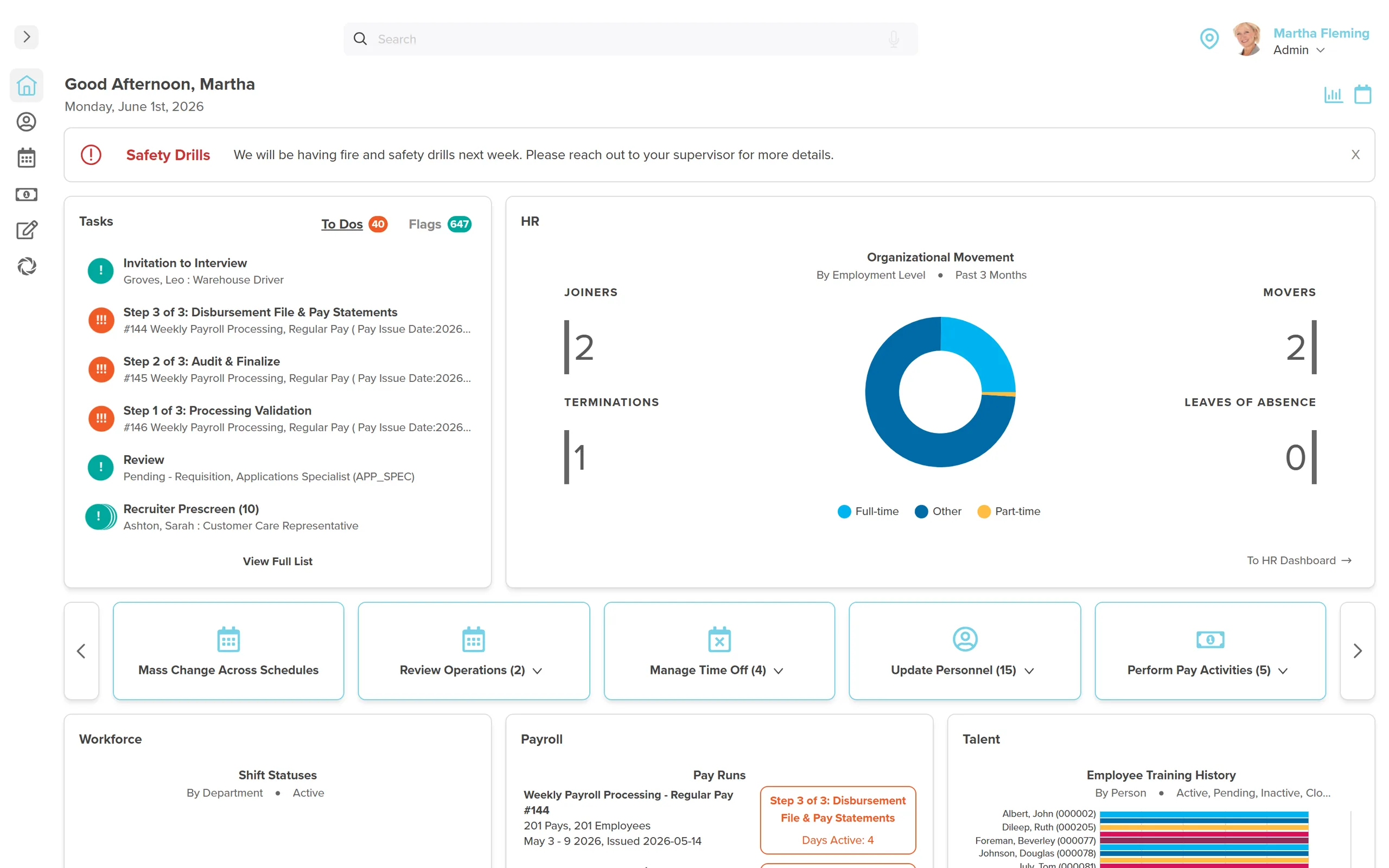
Most municipalities can't answer a headcount question without opening a spreadsheet first. That's the whole problem in one sentence.
Council approved 45 positions in public works. Six months later, a Councillor asks how many are filled. The HR manager opens a spreadsheet. Last updated three weeks ago. For municipalities across Canada, position control software exists precisely to close that gap.
Position control for municipalities tracks Council-approved headcount separately from actual employees, showing which positions are filled, which are vacant, and what the salary budget variance looks like by department. Without it, municipalities answer governance questions with a spreadsheet that was last updated three weeks ago.
- Position control tracks what a municipality is authorized to have. An employee directory tracks who works there. These are different questions.
- If your vacancy data is more than a week old, it's not a reporting tool. It's a history lesson.
- A vacancy should automatically trigger recruitment, not wait for someone to notice and initiate it manually.
- Council-ready reporting means current data on demand, not a spreadsheet formatted the night before the meeting.
It's not a reporting problem. It's a data-model problem. Most municipalities miss it: the software they bought tracks employees, not positions, and those are two different questions. An employee directory answers who works here. Position control answers what Council authorized you to have. Buy a tool that only knows the first, and every governance question becomes a manual reconstruction.
Why Position Control Software for Municipalities in Canada Beats an Employee Directory
An employee directory tells you who works at the municipality. A position control system tells you what the municipality is authorized to have, and where the gaps are.
That distinction matters because Council doesn't just approve salaries. They approve service delivery commitments. When Council approves 45 positions in public works, they're saying the municipality is authorized to deliver a certain level of road maintenance, infrastructure response, and operations. Three vacancies in that department means three gaps in that commitment.
If vacancy data only updates when someone manually edits a spreadsheet, Council is making decisions based on stale information. That's a governance risk.
You got into HR to staff the services residents depend on, not to spend the night before a Council meeting reconstructing a headcount nobody can fully trust. The instinct to blame yourself for the stale number is the wrong one. You're not the problem here. Your reporting tool is: it was never built to keep a position record current.
The Three-Week-Old Spreadsheet
Most municipalities maintain approved headcount in a spreadsheet. Usually owned by someone in HR or finance. Usually updated when there's a staff change that someone remembers to flag. Usually close enough to accurate that it passes without scrutiny.
Until it doesn't.
A vacancy that isn't recorded stays invisible. Recruitment that should have started doesn't start. A department that's been three positions under budget for four months doesn't get flagged. The Councillor who asks a pointed question about salary underspend in Q3 gets an answer that was accurate as of six weeks ago.
Position control that connects to the HR system means vacancy status updates the moment an employee leaves. Automatically. No manual update. The position shows vacant, the budget variance recalculates, and a recruitment trigger can fire without anyone having to remember to initiate it. That same connected record is what makes date-effective records and clean Record of Employment processing possible. One position changes, every downstream report follows.
Across our Canadian municipal client base, the pattern is consistent: the municipalities that trust their headcount numbers are the ones where the position record and the employee record live in the same system. The ones still reconciling are running position control in a spreadsheet next to an HR tool that has no idea the spreadsheet exists.
Ask us to show you the Council variance report. Live, in the demo.
Approved positions, vacancy flags, salary budget variance by department. Current data, not a manually updated spreadsheet. Trusted by County of Renfrew, Municipal District of Bonnyville, and municipalities across Canada. $4 per employee per month per suite. No setup fees. No contracts.
Tell Us What You Need to SeeWhen a Vacancy Triggers Nothing
The gap between when a position becomes vacant and when recruitment starts is usually longer than it should be.
Someone leaves. HR gets notified. HR creates a job requisition from scratch. The posting goes through whatever approval process the municipality uses. By the time the role is live, it's been three weeks since the employee's last day.
When vacancy status connects to the talent module, the trigger is automatic. The approved position details, title, classification, department, salary range, pre-populate the job posting. HR reviews and approves rather than building from scratch. The three-week gap shrinks considerably.
County of Renfrew (approximately 900 employees, Ontario) hired 32 people in a single pay period using Workzoom's combined position control and onboarding. As HR manager Greg Belmore put it: "We wouldn't be able to hire the people that we do anymore with the same resources we already had. It's allowed us to keep our headcount consistent without needing to increase, saving us time and money."
That volume without proportional HR headcount increases is only possible when the system handles the administrative sequence, vacancy to posting to onboarding, without manual handoffs at each step.
What a Council-Ready Report Actually Looks Like
A Council-ready headcount report is not a list of employees. It's a comparison of what was approved versus what is actually filled, by department, with vacancy flags and salary budget variance, produced on demand, not the night before the meeting.
Approved headcount: 45. Actual filled: 42. Vacancies: 3. Days vacant (average): 18. Salary budget variance: -$78,400 for the quarter.
That's the report a Councillor can read without asking follow-up questions. That's what position control produces when it's connected to actual HR data, not a manually maintained spreadsheet.
Workzoom is trusted for municipal position control by County of Renfrew (900 employees), County of Brant (741 employees), Regional District of Central Okanagan (392 employees), Municipal District of Bonnyville No. 87 (400 employees), and municipalities across Ontario, Alberta, and British Columbia. Pricing: $4 per employee per month per suite, no setup fees, no contracts. Save 5% with annual billing. Full platform $16 per employee per month. Implementation, data migration, training, and support included.
For the broader municipal stack, see our guide to HR software for Canadian municipalities. External reference: Ontario Financial Information Return includes the staffing and compensation data requirements that position control reporting supports directly.
See Workzoom in 30 minutes.
Real product, real questions, no slides. Starts at $4 per employee per month, CAD or USD, with $0 setup fees.
What readers ask after this post on position control software municipalities Canada.
Our clients
The teams that run their people on Workzoom.













Workzoom handles HR, payroll, workforce, and talent on one employee record. Book a 30-minute walkthrough.